

Bing Places for Business is the free tool that controls how your business shows up on Bing Search and Bing Maps. Most owners skip it because Bing’s market share is small. I think that’s a mistake now, for one reason: ChatGPT runs Bing searches when people ask it for local businesses.
The good news is that setup is fast if you already have a Google Business Profile. Microsoft rebuilt Bing Places in October 2025 and the Google import is now the easiest way in. Below is the whole process, with screenshots from my own Bing Places account, where I manage listings for several clients. I’ve blurred their names and details.
What Bing Places for Business is
It’s Microsoft’s version of Google Business Profile. Your listing holds your name, address, phone, website, hours, categories, photos and services, and Bing uses it for local results on Bing.com and Bing Maps. Microsoft also feeds Bing data into Copilot.
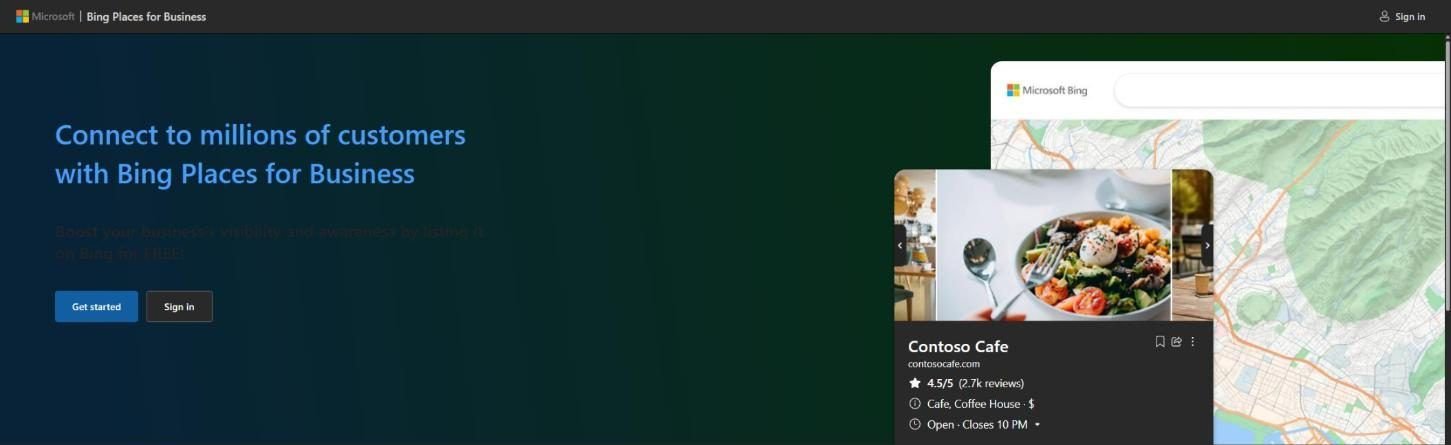
Two things changed in the 2025 relaunch:
- The address moved. The old bingplaces.com now redirects to bing.com/forbusiness, and existing accounts were moved across automatically.
- The Google import got better. Microsoft says it now keeps your business name, hours and contact details intact, which was a common complaint with the old version.
Why bother with Bing in 2026
I’ll be honest about the traffic first. The one fully published listing in my account got 4 views in 30 days on Bing (September 26 to October 25, 2026). That’s a landscaping company that gets steady calls from Google. Bing alone won’t change your month.
So why do it? Three reasons:
- ChatGPT. Search Engine Land tested how ChatGPT answers local questions and found it runs a Bing search and gathers the top 20 to 30 web results before picking businesses. Its picks didn’t match Bing’s local listings one to one, so this isn’t a direct pipeline. But a strong Bing presence makes it more likely your website is in the pool ChatGPT reads. My guide on how to rank in ChatGPT covers the rest of that picture.
- Consistent details. Bing Places is one of the big listings that search engines and AI tools use to check your name, address and phone. Wrong details there can contradict your Google profile. See local citations for why that matters.
- It’s cheap. With the Google import, setup takes about 15 minutes, and your Google edits keep syncing across.
How to set up Bing Places for Business
Step 1: Sign in
Go to bing.com/forbusiness and click Sign in. You can use a Google account, Facebook, a personal Microsoft account or a work account.
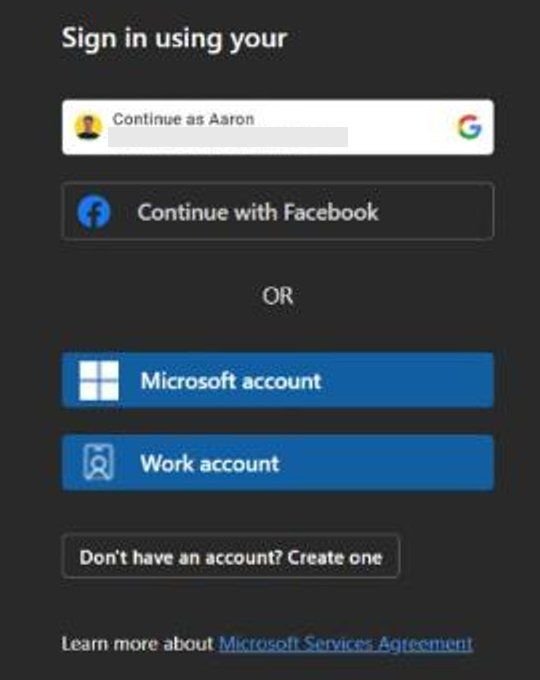
Pick one account and stick with it. Microsoft’s help pages say a verification PIN only works in the account that requested it. That’s the most common reason a PIN “doesn’t work”.
Step 2: Choose Add business
From the dashboard, click Add business. You get three options:
- Import Google Business Profile. The best choice if you have a verified Google profile.
- Upload bulk template. A spreadsheet upload for businesses with many locations.
- Add or claim single business. Search Bing for your business, then claim it or create a new listing.

Step 3: Import from Google (recommended)
Choose Import Google Business Profile, sign in to the Google account that manages your profile and allow access. Bing then pulls in your listings. Imported listings are usually verified automatically when the Google profile is already verified, so you skip the PIN step.
Here’s what the import brought across for one of my clients without any typing: categories, regular hours, special holiday hours, the business description, the services list, the store code and 41 photos.
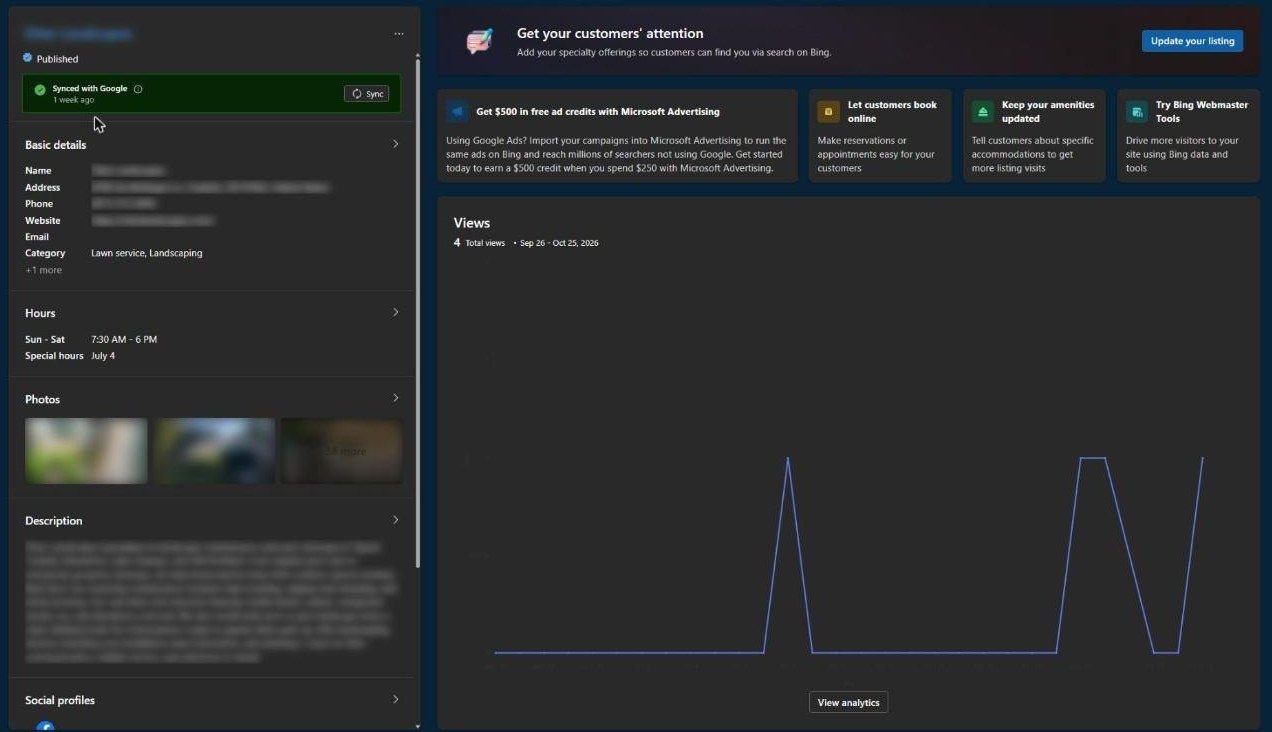
After the import, the dashboard shows a green Synced with Google badge with the time of the last sync and a Sync button. Changes you make in Google come across on the next sync.
Step 3b: Add or claim a single business
No Google profile, or prefer to do it by hand? Choose Add or claim single business:
- Pick your country, then search for your business name and city.
- If Bing already has a listing for you, claim it. If someone else already claimed it, use Microsoft’s request access process.
- If nothing comes up, create a new listing and fill in the details.
- Request a verification PIN.
Microsoft offers the PIN by phone, text, email or postcard. Phone is only offered if the existing listing already has your business number and nobody has edited it. Postcards take 5 to 6 business days in the US, and Microsoft asks you to wait at least 12 days before contacting support.
Step 4: Fill the gaps, then wait
Whichever route you took, check these before you leave:
- Categories. You get up to 10: one primary and nine more. The primary should be your main service. The same thinking as choosing Google Business Profile categories applies.
- Business name. Use your real name. Microsoft says it discards keywords added to a business name.
- Photos. Up to 100, at least 480 by 360 pixels, and up to 10 MB per upload. Tag them as exterior, interior or logo.
- Service areas. Covered below.
Then stop editing. Microsoft says a publish cycle typically takes 7 to 12 days in North America and up to two weeks elsewhere, and every change to a pending listing resets the clock.
What “Pending publish” means (and why yours might be stuck)
Here’s my own dashboard. Five listings imported from Google, one Published and four still Pending publish more than a week after the last sync.
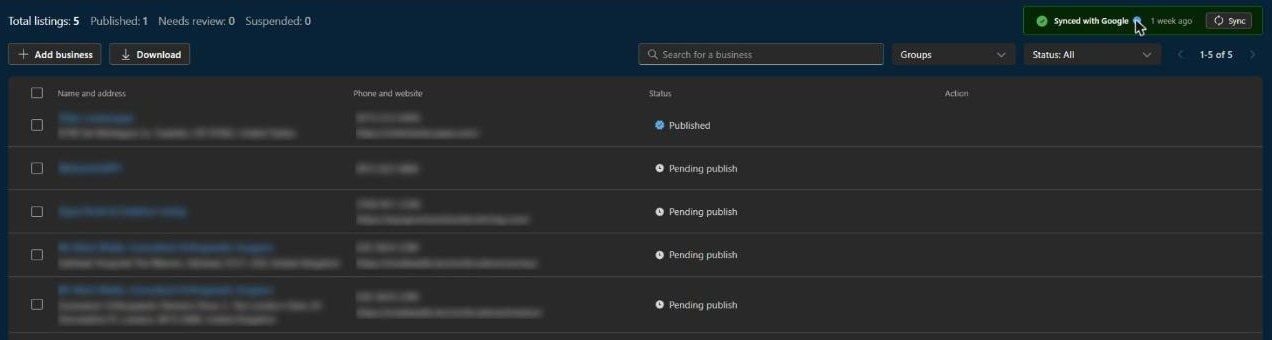
That’s normal, if annoying. Bing doesn’t just copy your listing onto the map. It merges what you submit with data from other sources, and Microsoft’s help says basic details only publish when they match trusted outside data. A listing can sit in pending while Bing checks it.
Some owners in Microsoft’s Q&A forum report listings stuck in pending for weeks or months. If yours passes 12 days in North America, here’s what I’d check:
- Do your details match everywhere? Name, address and phone should be identical on your website, Google and the big directories. A mismatch is the usual cause.
- Did you keep editing? Each edit restarts the publish cycle.
- Then contact support from the Bing Places help page, with your listing name and the date it was verified.
Service-area businesses: hiding your address
Plumbers, cleaners and other businesses that travel to customers can hide their address, just like on Google. You still enter a real address for verification. Then edit the listing, turn on the option to hide your address and add your service areas: cities, regions or ZIP codes, up to 20 of them. Bing won’t let you hide the address until service areas are added. My guide to service-area businesses on Google explains the same setup on the Google side.
Keep it current
Two habits keep a Bing listing healthy:
- Edit Google first. If you imported from Google, change your hours, phone or services there and let the sync carry it to Bing. Use the Sync button if you can’t wait.
- Check it twice a year. Microsoft says other data sources can take priority if your Bing Places data hasn’t been updated for more than six months.
You’ll also see offers inside the dashboard, such as ad credits with Microsoft Advertising, online booking and Bing Webmaster Tools. None of them are needed for your listing to work. Bing Webmaster Tools is the one I’d add, because it shows how Bing crawls your website.
Want this done for you?
Setting up Bing, Apple Maps and the other listings that matter is part of my local SEO service. If you want your business to show up in AI answers too, see AI SEO.
