

Why is my website not showing up on Google? In most cases it’s one of nine causes, and you can find out which in about ten minutes with two free tools: a site: search and Google Search Console. You don’t need to guess, and you don’t need to pay anyone to “submit” your site.
I’ll use my own site as the example. I relaunched aaroncarmen.com on a new platform in October 2026, replacing an older WordPress site, and Google has spent the weeks since working through around 300 URLs. Every screenshot below is from my own Search Console, taken on November 23, 2026.
Step 1: check whether Google has your site at all
Go to Google and search for site: followed by your domain, with no space, like site:aaroncarmen.com. Google’s own SEO starter guide recommends exactly this: if you see results pointing to your site, you’re in the index.
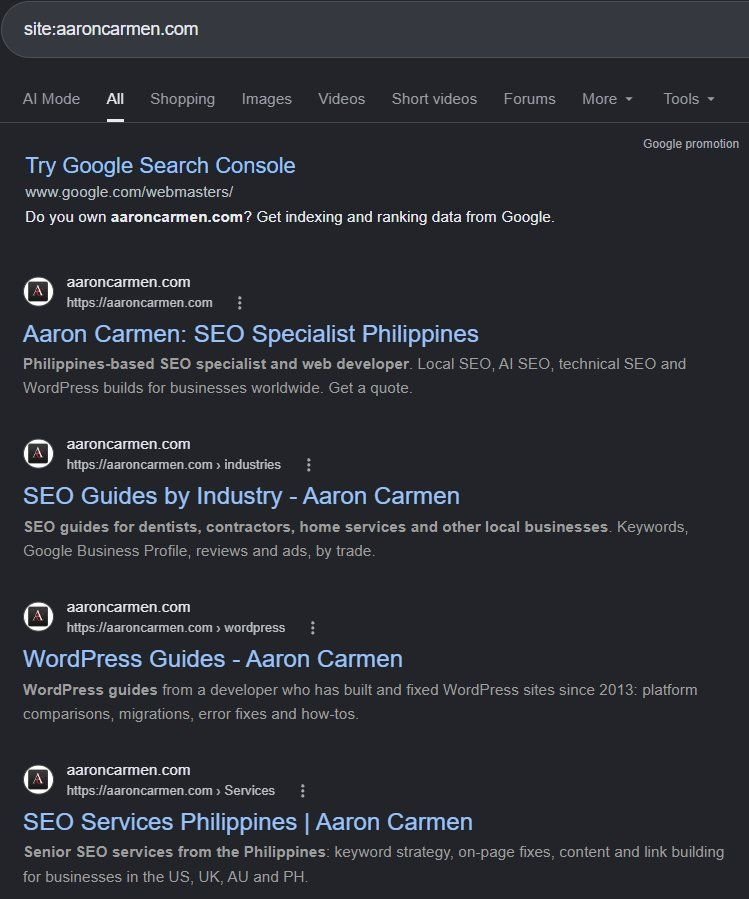
- No results at all: Google hasn’t found the site or something is blocking it. Start with causes 1 to 3.
- Some pages but not the one you want: check that page with URL Inspection (step 2).
- Everything is there: your site is indexed, and the real question is ranking. Jump to cause 9.
Step 2: inspect the page in Search Console
If you haven’t set up Google Search Console, it’s free and it’s the only place Google tells you directly why a page isn’t indexed. Paste the page’s address into the search bar at the top. You’ll get one of two answers.
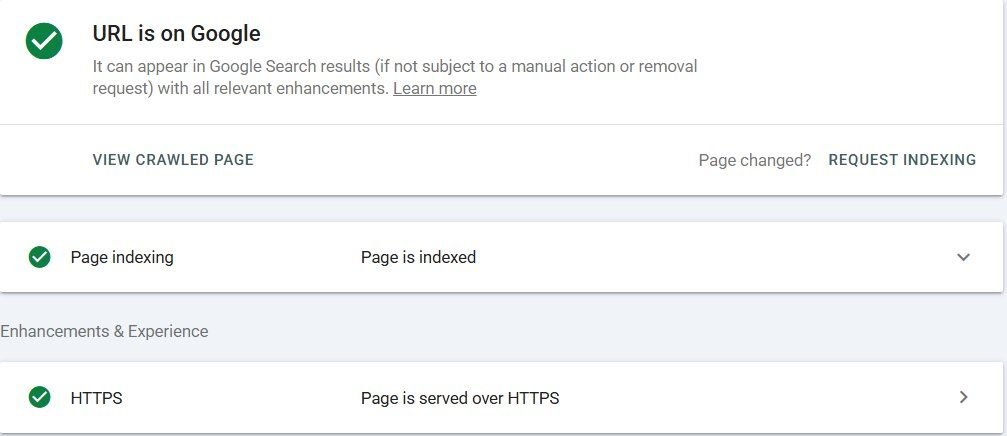
URL is on Google means the page is eligible to appear. URL is not on Google means it can’t appear yet, and the report underneath tells you why. Here’s what the reasons mean.
The 9 causes and how to fix them
1. Google hasn’t found the page yet
Google mainly finds pages through links from pages it has already crawled, and through sitemaps. A brand-new site with no links pointing to it can wait a long time.
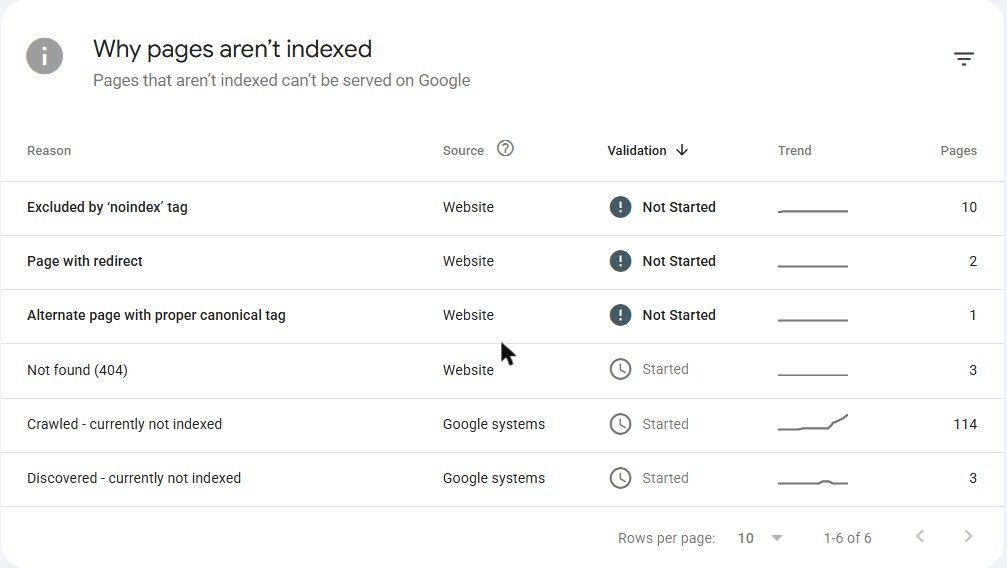
My thank-you page is a good example. I deliberately keep it out of the sitemap and don’t link to it, and Google reports exactly that.
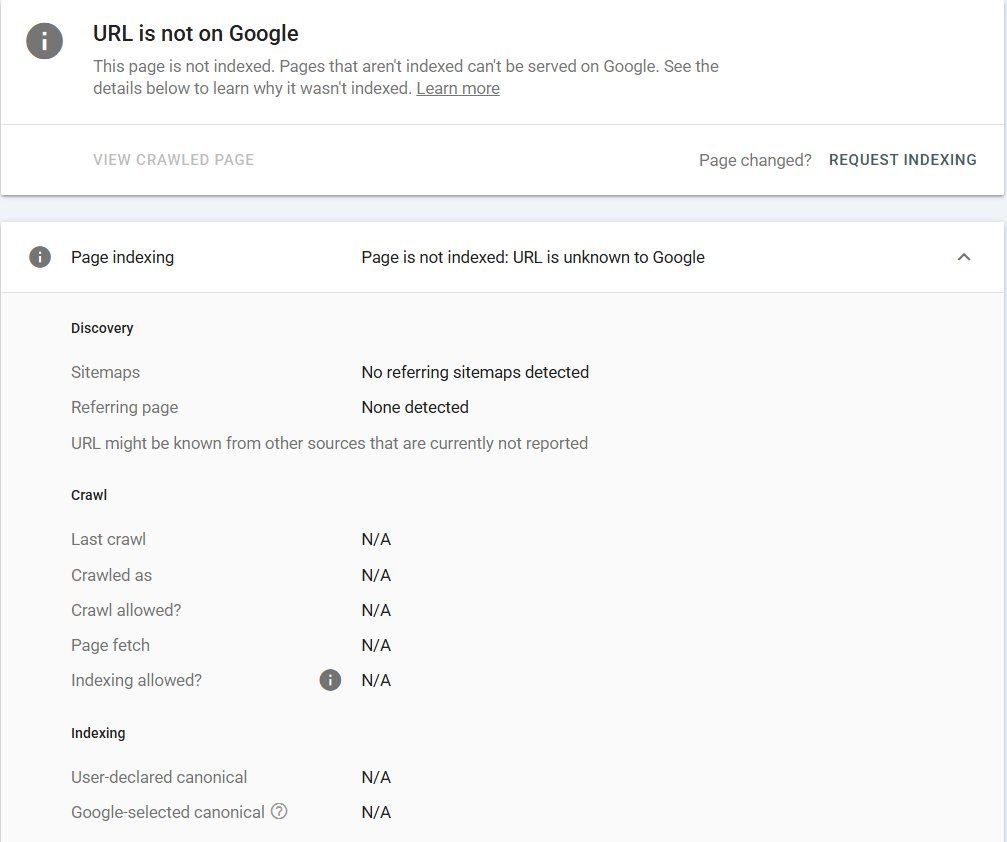
Fix: submit your sitemap in Search Console under Sitemaps, link to the page from your menu or another page, and get a few real links from other sites, such as your Google Business Profile and local directories.
2. A noindex tag is telling Google to stay away
A noindex tag in the page’s code tells Google not to index it. It’s useful for pages like thank-you pages, and a disaster if it’s left on your whole site. That often happens when a developer turns on “discourage search engines” in WordPress while building and forgets to turn it off.
The quickest way to check is Test live URL in URL Inspection. Here’s the live test of my thank-you page:
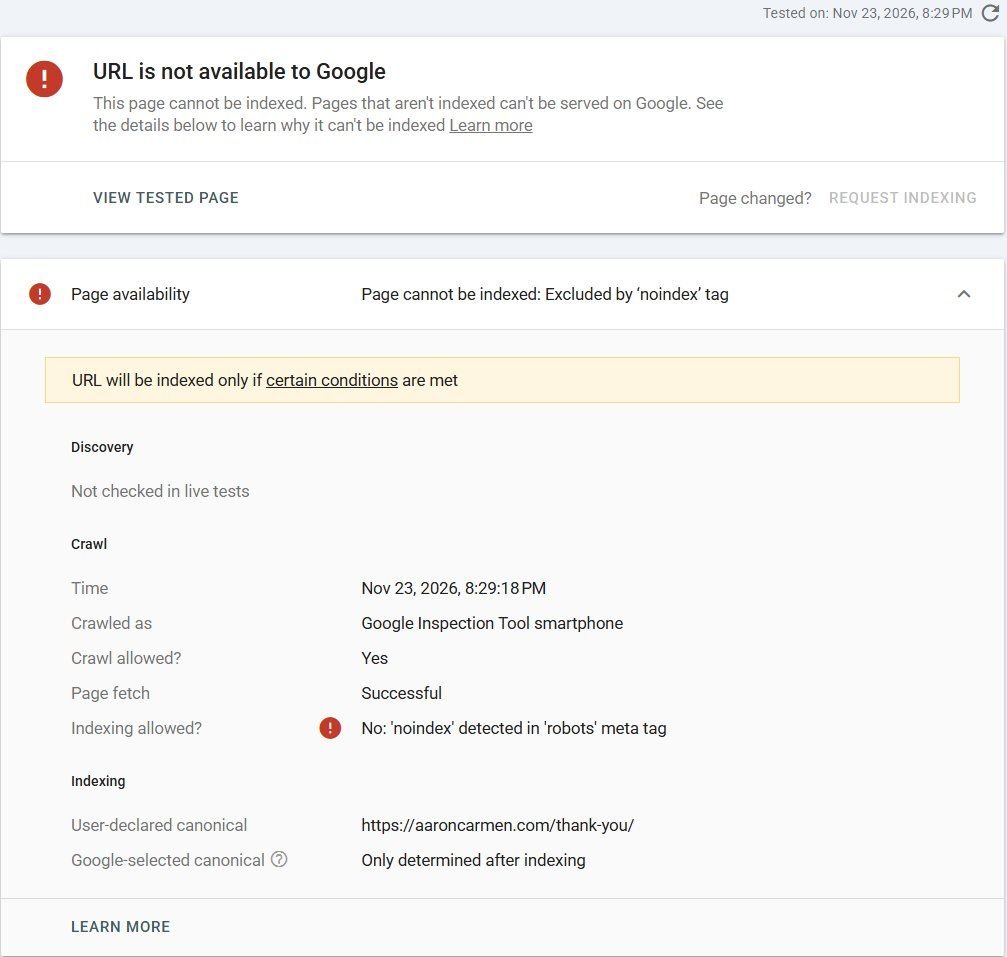
Fix: remove the noindex tag from any page you want on Google. In WordPress, check Settings, then Reading, and make sure “Discourage search engines from indexing this site” is unticked.
3. robots.txt is blocking Google
Your robots.txt file can stop Google from crawling pages. There’s a catch I ran into myself: if robots.txt blocks a page, Google can’t see that page’s noindex tag either. Google’s help says the only reliable way to keep a page out of the index is to allow crawling and use noindex. I removed a robots.txt block from my own thank-you page in November for that reason.
Fix: open yourdomain.com/robots.txt. A line like Disallow: / under User-agent: * blocks the whole site. Remove any rule covering pages you want indexed.
4. A redesign or migration broke your old URLs
When a site moves to a new platform, old page addresses often change. Google still has the old ones on record, finds a “404 not found”, and the rankings attached to them disappear.
It happened on my own relaunch. Several posts from my old WordPress site started returning 404s in Search Console, so I added 301 redirects from each old address to its closest new page.
Fix: list your old URLs before a redesign, and set up a 301 redirect for each one to its new home. Google’s help says a 301 is the right fix when a page has moved.
5. Google crawled the page but chose not to index it
“Crawled, currently not indexed” means Google visited the page and decided not to add it, at least for now. Google’s own help says this is common and doesn’t necessarily mean something needs fixing, and that it doesn’t index every page on the web. “Discovered, currently not indexed” means Google knows the page exists but hasn’t crawled it yet.
On my own site, crawled-but-not-indexed is by far the biggest bucket:
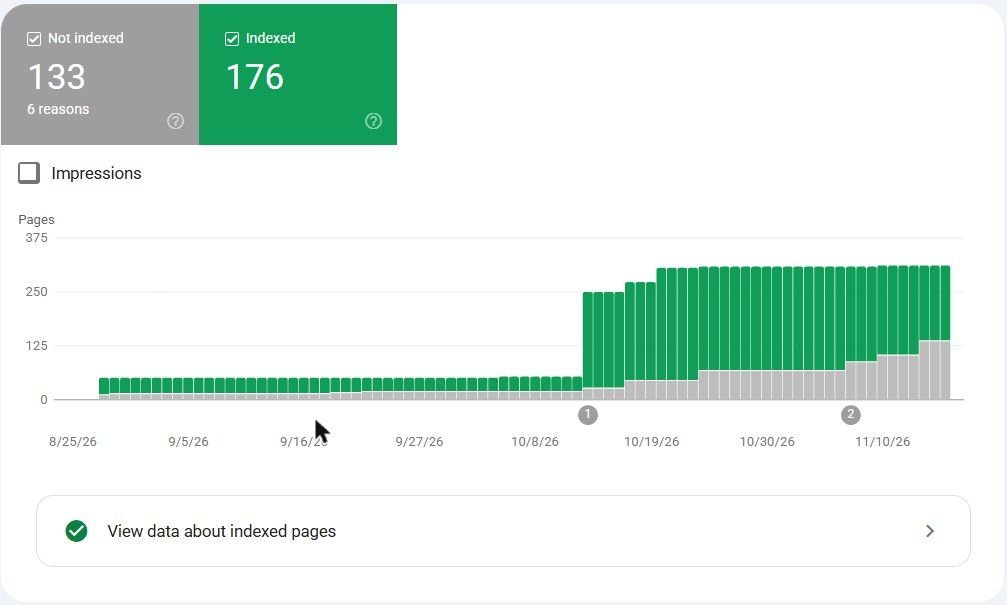
Fix: make sure the page is genuinely useful and different from your other pages, link to it from related pages, and give it time. Thin pages that repeat what’s elsewhere are the usual candidates.
6. The page is a duplicate, and Google picked another one
If two pages are nearly identical, Google picks one to show. “Alternate page with proper canonical tag” means your site told Google which version to use, so nothing needs doing. “Duplicate without user-selected canonical” means Google chose for you.
Fix: use URL Inspection to see which URL Google picked. If it’s the wrong one, add a canonical tag pointing to the page you want, or merge the duplicates.
7. The page redirects somewhere else
“Page with redirect” means the address you checked forwards to another page, so Google indexes the destination instead. On my site, those are old addresses I redirected on purpose.
Fix: nothing, if the redirect is intended. If not, remove it.
8. Google has taken manual action
Rarely, a Google reviewer penalises a site for spam, for example paid links or copied content. You’ll find it in Search Console under Security and Manual Actions.

Fix: if there is one, Search Console explains what’s wrong. Clean it up, then send a reconsideration request from the same page.
9. It’s indexed, but not ranking for what you searched
This is the most common one. Your page is on Google, but you searched for “plumber” and you’re on page five, or you searched from a different city. Google’s help is clear that a URL being on Google means it’s eligible, not guaranteed, to appear.
Fix: search for your exact business name. If you appear, you have a ranking problem, not an indexing one. That means better pages for the services you offer, links from other sites, and for local searches a strong Google Business Profile. My guide on how to rank higher on Google Maps covers the map side.
Asking Google to index a page
Once you’ve fixed the cause, select Request indexing in URL Inspection. Two things to know:
- It’s not a guarantee. Google says a request doesn’t guarantee the page will be indexed. It usually takes a day or so, but can take a week or two.
- There’s a daily limit. When I requested indexing for new pages after my relaunch, Search Console stopped accepting requests after nine in one day. Start with your most important pages.
Still not showing up?
Work through the steps in order: site: search, URL Inspection, then the reason Search Console gives you. Most of the time it’s one of the first four causes, and the fix is a setting, a file or a redirect.
If you’re planning a new site, building it right from the start avoids most of these problems. My guide to SEO-friendly web design covers what to get right before launch. And if you’d rather have someone find and fix it for you, that’s what my technical SEO service is for.
