

WP admin not working in WordPress? The symptom tells you the cause. I reproduced the four most common lockouts on a test site running WordPress 7.1.3 and PHP 8.3, and fixed each one. Find yours below.
| What you see | Most likely cause | Jump to |
|---|---|---|
| Right password, back on the login page | Site address mismatch | Login loop |
| Redirect to an https page that won’t load | FORCE_SSL_ADMIN without SSL |
HTTPS redirect |
| “Page not found” at /wp-admin | A plugin hid the login page | 404 on wp-admin |
| “Cookies are blocked…” | Browser cookies | Cookie error |
| “There has been a critical error…” | A PHP fatal error | White screen guide |
Every fix below that needs files uses your host’s file manager or FTP. wp-config.php sits in your site’s main folder, next to wp-admin and wp-content.
Login loop: the right password, and back to the login page
This is the most confusing one, because nothing says what’s wrong. You enter the right password, the page reloads, and you’re on the login screen again.
On my test site the cause was an address mismatch. WordPress’s saved address was 127.0.0.1, and I logged in on localhost. WordPress accepted the password, set the login cookie for localhost, then redirected me to its saved address, 127.0.0.1. The cookie didn’t apply there, so WordPress sent me back to the login page with reauth=1 in the address. On a live site the same thing happens between www and non-www, or http and https, usually after a move or an SSL change.
The fix. Add these two lines to wp-config.php, above the line that says “That’s all, stop editing!”, using the exact address you want, including https and www if you use them:
define( 'WP_HOME', 'https://example.com' );
define( 'WP_SITEURL', 'https://example.com' );
With the address set to match, my login worked first time. Two things to know:
- Clear your browser’s cookies for the site afterwards, so an old cookie doesn’t keep the loop going.
- While these lines are in
wp-config.php, the WordPress Address and Site Address fields in Settings → General are greyed out. To manage the address from the dashboard again, correct those fields while you’re logged in, then remove the two lines.
Redirected to an https page that won’t load
If /wp-admin jumps to an https:// address and the browser says it can’t make a secure connection, look for this line in wp-config.php:
define( 'FORCE_SSL_ADMIN', true );It tells WordPress to load the login page and dashboard over HTTPS only. On my test site, with that line on and no SSL certificate, both /wp-admin/ and /wp-login.php redirected to https://, and the connection failed. You’ll typically see this after moving a site to a new host or domain that doesn’t have its certificate yet.
The fix. Either install the SSL certificate (most hosts include one free), or change true to false until it’s in place. Turn it back on once https:// loads.
“Page not found” at /wp-admin
Security plugins often move the login page to a secret address. If you forget the address, or someone else set it up, wp-admin looks broken.
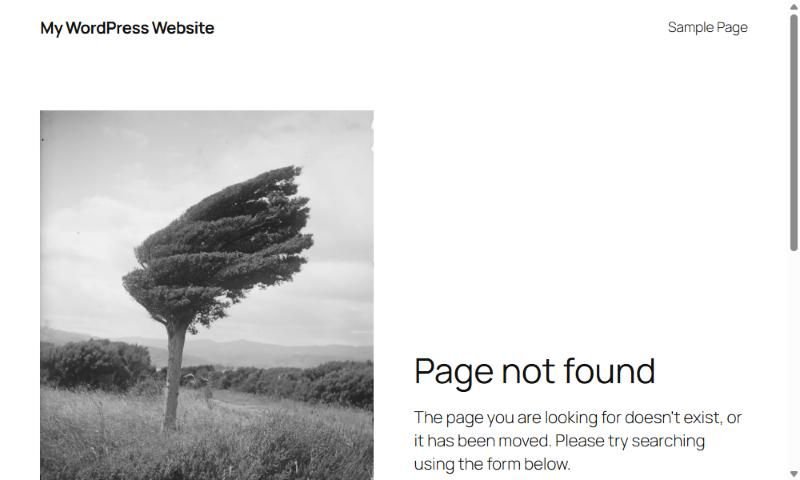
I installed WPS Hide Login 1.9.19, one of the popular plugins that does this, and set the login address to /office-login/. After that, visiting /wp-admin while logged out went straight to “Page not found”, and /wp-login.php returned a 404:
The fix. Try the custom address if you know it. If you don’t, go to wp-content/plugins and rename the plugin’s folder, for example wps-hide-login to wps-hide-login-off. On my test site, /wp-login.php worked again straight away, and I could log in. Rename the folder back afterwards and look up the address in the plugin’s settings, or pick a new one you’ll remember.
“Cookies are blocked or not supported”
The full message is: “Cookies are blocked or not supported by your browser. You must enable cookies to use WordPress.” I reproduced it by sending a login without the test cookie WordPress sets on the login page.
The fix. Allow cookies for your site, or try a private window or another browser. If it happens in every browser, the problem is on the site. One possible cause is a cache serving a saved copy of the login page; check that your caching plugin or host excludes /wp-login.php.
Forgotten password and no reset email
Use Lost your password? on the login page first, and check spam. If the site can’t send email at all, WordPress’s documentation explains how to reset a password through phpMyAdmin in your hosting panel. I couldn’t test that on my test site, so follow WordPress’s steps exactly. Fixing the site’s email afterwards matters too, because the same problem stops contact forms and order emails.
When it keeps happening
A login loop after every SSL renewal, or a hidden login page nobody can find, usually means the site’s setup was never written down. Sorting out wp-config, plugins and who can log in is part of my WordPress development work. If the problem is a slow dashboard rather than no dashboard, see how to speed up a WordPress site.
